
Introduction
Video content is no longer optional — it’s essential. Whether you’re a content creator, marketer, business owner, or freelancer, video has become the most powerful way to capture attention, engage audiences, and drive results. However, traditional video editing tools can be complex, time-consuming, and expensive.
This is where InVideo comes in.
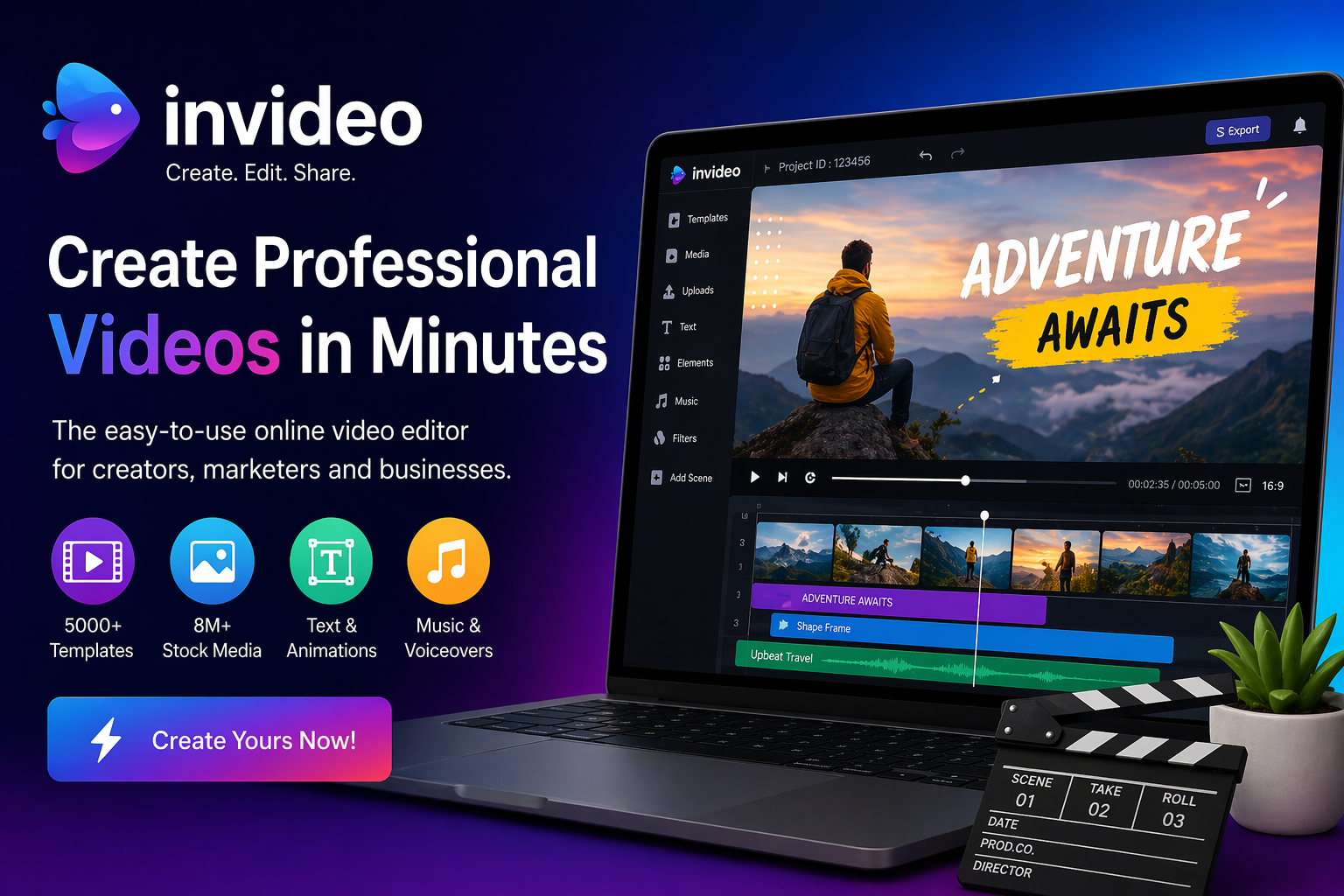
InVideo is a cloud-based video creation platform that allows anyone — even beginners — to create professional-quality videos in minutes. With its easy-to-use interface, pre-built templates, and AI-powered tools, InVideo has become a favorite among creators worldwide.
In this complete guide, you’ll learn everything about InVideo — how it works, its features, benefits, pricing, tips, and how to use it to grow your brand or business.
What is InVideo?
InVideo is an online video editing and creation platform designed for users who want fast, high-quality video production without technical expertise. It provides ready-made templates, stock media, text-to-video tools, and automation features that simplify the entire process.
Founded to make video creation accessible to everyone, InVideo is now used by marketers, YouTubers, agencies, and businesses to produce content for social media, ads, presentations, and more.
Unlike traditional editing software, InVideo works entirely in your browser, meaning there’s no need for downloads or high-end hardware.
Why InVideo is So Popular
One of the biggest reasons behind InVideo’s popularity is its simplicity. Anyone can create videos without prior editing experience. The drag-and-drop interface makes it easy to add text, images, clips, and effects.
Another key factor is speed. With thousands of templates available, users can create videos in minutes instead of hours.
The platform also offers a vast library of stock footage, music, and graphics, eliminating the need to source content separately.
Additionally, InVideo supports multiple video formats, making it perfect for platforms like Instagram, YouTube, Facebook, and ads.
Key Features of InVideo
InVideo comes packed with powerful features that make video creation effortless.
The template library includes thousands of ready-made designs for different industries and use cases. Whether you need a promotional video, social media post, or slideshow, there’s a template for it.
The text-to-video feature allows users to convert scripts or blog posts into videos automatically. This is especially useful for content creators and marketers.
Stock media access provides millions of images, videos, and music tracks that can be used within projects.
Customization options allow users to change colors, fonts, animations, and transitions to match their brand identity.
Voiceover and text-to-speech features enable users to add narration without recording audio manually.
The timeline editor provides more control for advanced users who want to fine-tune their videos.
How to Use InVideo
Using InVideo is simple and beginner-friendly.
First, sign up and choose the type of video you want to create. You can start from a blank canvas or select a template.
Next, customize the video by adding text, images, and clips. You can also upload your own media or use stock assets.
Then, edit the timing, transitions, and animations to match your style.
Add music or voiceovers to enhance engagement.
Finally, export the video in your desired resolution and share it across platforms.
How to Make Money Using InVideo
InVideo is not just a tool — it’s an opportunity.
Freelancers can create videos for clients on platforms like Fiverr and Upwork. Businesses can use it to create ads and promotional content.
YouTubers can produce high-quality videos without expensive software.
Affiliate marketers can create product videos and ads to increase conversions.
Social media managers can create engaging content for brands and grow their presence.
Pricing and Plans
InVideo offers both free and paid plans.
The free plan allows users to explore features with some limitations, such as watermarked exports.
Paid plans provide access to premium templates, HD exports, and advanced features.
The pricing is affordable compared to traditional editing software, making it accessible for beginners and professionals alike.
Pros and Cons of InVideo
InVideo has many advantages. It is easy to use, fast, and does not require technical skills. The large template library and stock media access make content creation effortless.
However, it also has some limitations. Advanced editors may find it less powerful than professional software. The free plan includes watermarks, which may not be suitable for professional use.
Internet dependency is another factor, as the platform works online.
InVideo vs Other Video Tools
Compared to traditional tools, InVideo is much simpler and faster.
While professional software offers more control, it requires time and expertise. InVideo focuses on speed and ease of use.
Compared to other online editors, InVideo stands out for its template variety and AI-powered features.
It is particularly useful for beginners and marketers who need quick results.
Tips to Create Better Videos with InVideo
Always start with a clear goal. Know whether your video is for marketing, education, or entertainment.
Use high-quality visuals and keep your text concise.
Add captions, as many users watch videos without sound.
Choose the right music to match the mood.
Keep videos short and engaging to maintain audience attention.
Experiment with different templates to find what works best.
Best Use Cases for InVideo
InVideo is ideal for social media content, ads, presentations, YouTube videos, and educational content.
Small businesses can use it for promotions. Influencers can create engaging posts. Agencies can produce client content efficiently.
It is also perfect for beginners who want to start video creation without a steep learning curve.
Future of InVideo
InVideo is rapidly evolving with AI advancements.
Features like automated video generation, smarter editing tools, and enhanced personalization are expected to improve further.
As video content continues to dominate digital platforms, tools like InVideo will become even more important.
Conclusion
InVideo has made video creation accessible, fast, and affordable. It empowers anyone to create professional-quality videos without technical expertise.
Whether you are a beginner or an experienced creator, InVideo offers the tools needed to succeed in today’s video-driven world.
Final Thoughts
Video content is the future, and InVideo is one of the best tools to leverage it.
If you want to create engaging, high-quality videos quickly, InVideo is a platform worth exploring.
Start creating, stay consistent, and turn your ideas into powerful visual stories.